
You put on your brand-new, stylish progressive glasses, expecting perfect vision. Instead, the floor looks like it’s floating, the room feels like a fishbowl, and you feel slightly dizzy just walking down the hallway.
First: Don’t panic. Second: You are not alone.
"Getting used to progressive lenses" is one of the most common challenges for new eyewear users. Unlike standard single-vision glasses, progressives require your brain to learn a completely new way of seeing. It’s not just about looking through the lenses; it’s about learning how to use them.
This guide will take you from "dizzy and frustrated" to comfortable and confident in just a few days. We’ll also cover what to do if you simply can’t adapt—and the alternatives to progressive lenses that might save your vision (and your sanity).
This article is not a substitute for a professional diagnosis.
Why Is It So Hard to Get Used to Progressive Lenses?
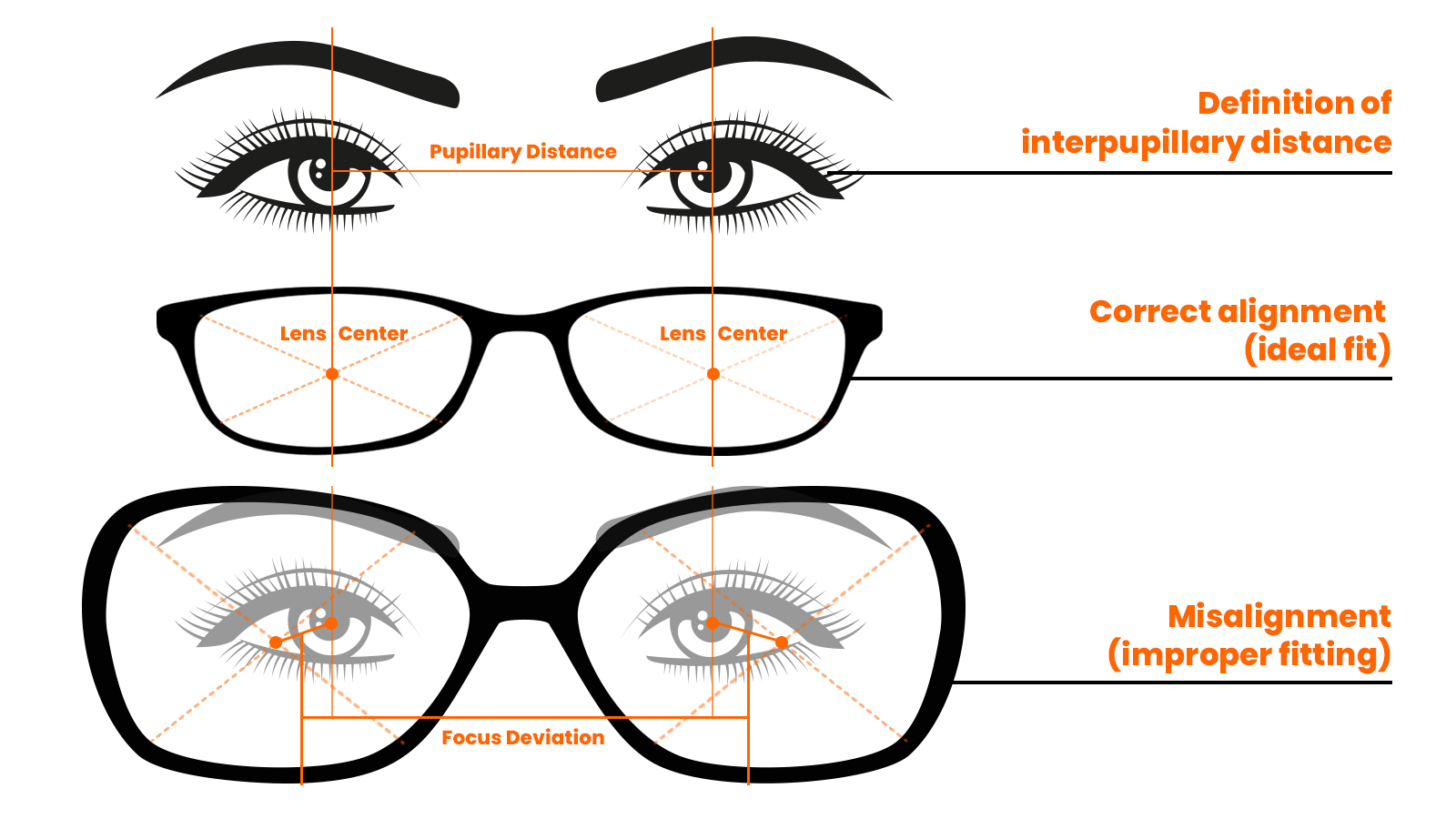
To understand the dizziness, you have to understand the design. Progressive lenses are a feat of optical engineering. They pack three distinct vision zones into a single lens without any visible lines:
- Top: Distance vision (Driving, walking, watching TV).
- Middle: Intermediate vision (Computer screens, dashboards).
- Bottom: Near vision (Reading, checking your phone).
The Catch: To blend these three zones seamlessly, the edges of the lenses (the periphery) have "soft focus" or blur. If you look sharply to the side through these blurred edges, your brain gets confused, leading to that "swimmy" or nauseous feeling.
How Long Does It Take to Adjust? (The Timeline)

One of the most common questions we get is: "Is it normal to feel dizzy after 3 days?" The short answer is: Yes.
Here is the typical adaptation timeline for most users:
- Days 1–3 (The "Fishbowl" Phase): You will likely feel the most peripheral distortion here. You might feel like you are stepping into a hole when walking downstairs. Tip: Be careful on stairs and avoid driving until you feel safe.
- Days 4–7 (The "Training" Phase): The nausea should fade. You will still have to consciously think about pointing your nose at objects, but it starts to feel less forced.
- Days 7–14 (The "Comfort" Phase): By now, the head movements should become muscle memory. You shouldn't have to "hunt" for the reading zone anymore.
The Verdict: For most people, full adaptation takes 1 to 2 weeks. If you have a very strong prescription or high astigmatism, it can take up to a month.
The Golden Rules: How to Use Progressive Lenses Correctly
Adapting isn't about waiting; it's about training. Follow these rules to speed up the process.
Rule #1: Point Your Nose, Not Your Eyes
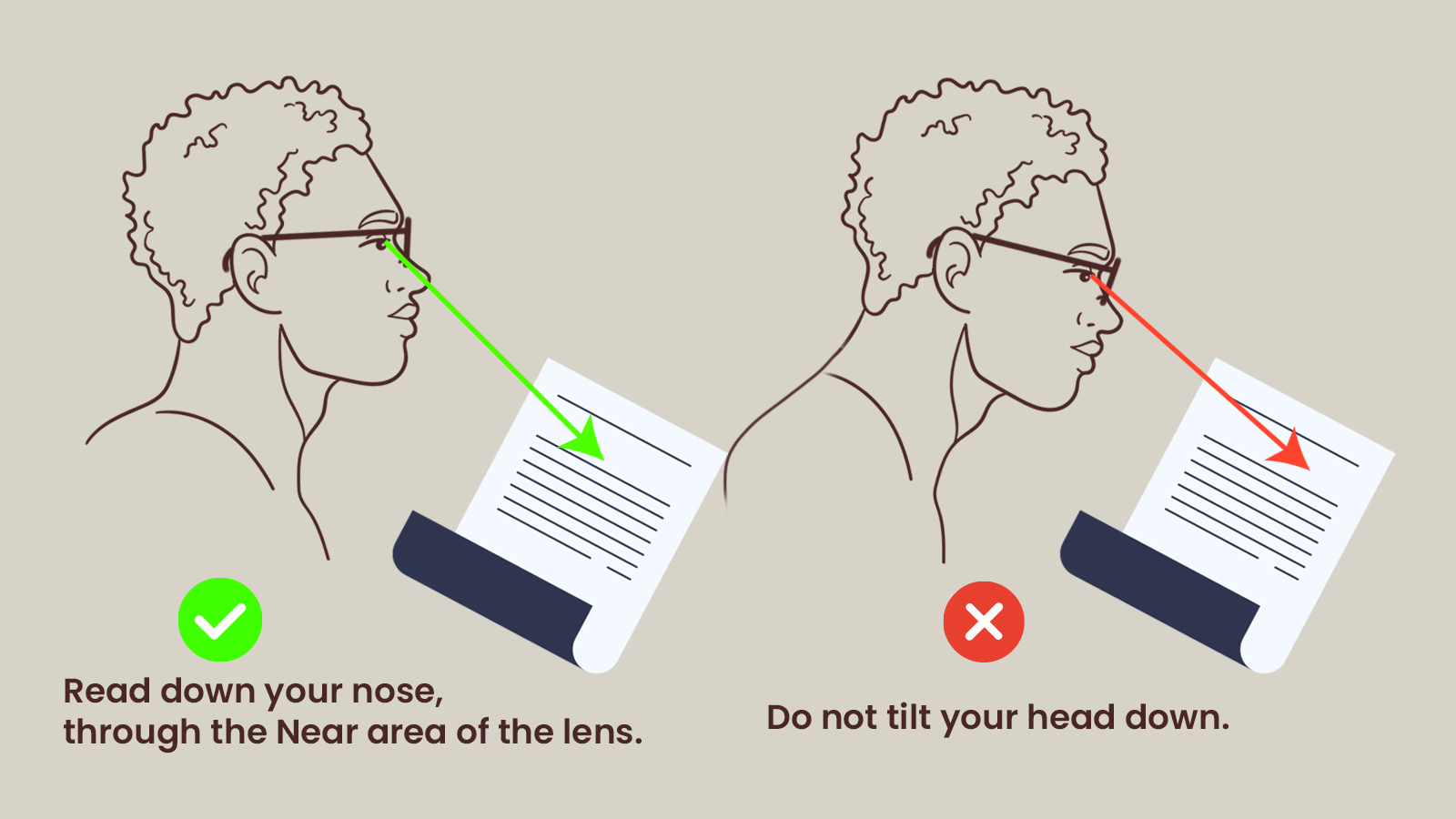
This is the most critical habit to break. With old glasses, you could glance sideways with just your eyes. With progressives, you must point your nose at what you want to see.
- The Fix: If you want to look at a lamp to your left, turn your whole head until your nose points at the lamp. This keeps your eyes in the clear "corridor" of the lens and avoids the blurry edges.
Rule #2: Master the "Chin Tilt"
Your head position determines which "zone" you are looking through.
- Walking & Driving: Keep your head upright and look straight ahead.
- Computer Work: Raise your chin slightly to look through the middle part of the lens.
- Reading: Keep your head straight (or slightly down) and drop only your eyes to look through the bottom of the lens.
How to Use Progressive Lenses for Computer Work
Digital eye strain is a major complaint for new progressive wearers. Why? Because computer screens usually sit in the Intermediate Zone, which is the narrowest part of the lens (the hourglass shape).
The Solution: Adjust your workspace, not just your eyes.
- Lower Your Monitor: If your screen is too high, you will tilt your head back to find the "middle zone," causing neck pain. Lower your monitor slightly so your gaze falls naturally into the center of the lens.
- Check Your Distance: Progressive intermediate zones are usually tuned for an arm's length away. If you sit too close or too far, the text will blur.
Progressive Glasses Pros and Cons (Is the Struggle Worth It?)
If you are 3 days in and struggling, you might be asking: Why did I buy these? Let’s look at the trade-offs.
The Pros:
- Convenience: One pair of glasses for everything. No more switching between "readers" and "driving glasses."
- Aesthetics: No visible "bifocal line" cutting across your eyes. They look exactly like single-vision lenses.
- Seamless Vision: Smooth transition from looking at a movie screen to looking down at your popcorn.
The Cons:
- The "Swim" Effect: Peripheral distortion can cause motion sickness during the first week.
- Narrow Corridors: The reading and computer areas are smaller than in dedicated reading glasses.
- Cost: They are more expensive to manufacture than standard lenses.
What If I Can’t Adjust? (Alternatives to Progressive Lenses)
We generally recommend the "Two-Week Rule." Wear your new progressives consistently (no switching back to old glasses!) for 14 days. If you are still experiencing headaches, dizziness, or vision issues after two weeks, progressives might not be the right fit for your brain's visual processing.
Here are the best alternatives:
1. Bifocal Glasses
If you want distance and reading power but hate the "swimmy" distortion of progressives, bifocals are the answer.
- The Difference: They have a visible line separating the distance (top) and reading (bottom). Because they are two distinct lenses fused together, there is zero peripheral blur. You get a wide, clear view instantly.
- Best For: People who value visual clarity over looking "young" (no line) or who have severe motion sickness.
2. Single Vision Reading Glasses
- The Difference: The entire lens is magnified.
- Best For: People who spend hours reading in bed or doing detailed craft work. You get a massive field of view, but you have to take them off to see across the room.
3. Computer Glasses (Office Lenses)
- The Difference: These are specialized progressives designed only for the office. They remove the "Distance" zone to give you a huge "Intermediate" and "Near" zone.
- Best For: Accountants, coders, or anyone glued to a screen for 8 hours a day.
Final Thoughts: Patience is Key
Your brain is an incredible machine. It will figure out the math required to use these lenses, but it needs consistent data. Put your progressives on first thing in the morning when your eyes are fresh, and try to resist swapping them for your old pair.
Still unsure? At Vooglam, we want you to love your look and your vision. If you’ve tried adjusting and it just isn’t working, our support team can help you switch to a Bifocal or Single Vision option that fits your lifestyle.
Ready to try again? Check out our Progressive Lenses to ensure your next pair is optimized for the perfect fit.